Managing an event involves handling clients, vendors, budgets, payments, schedules, and many daily tasks. Doing everything manually can lead to mistakes and wasted time.
With AayojanKaro, you can organize every stage of event planning from one easy-to-use platform. Here’s how to get started.
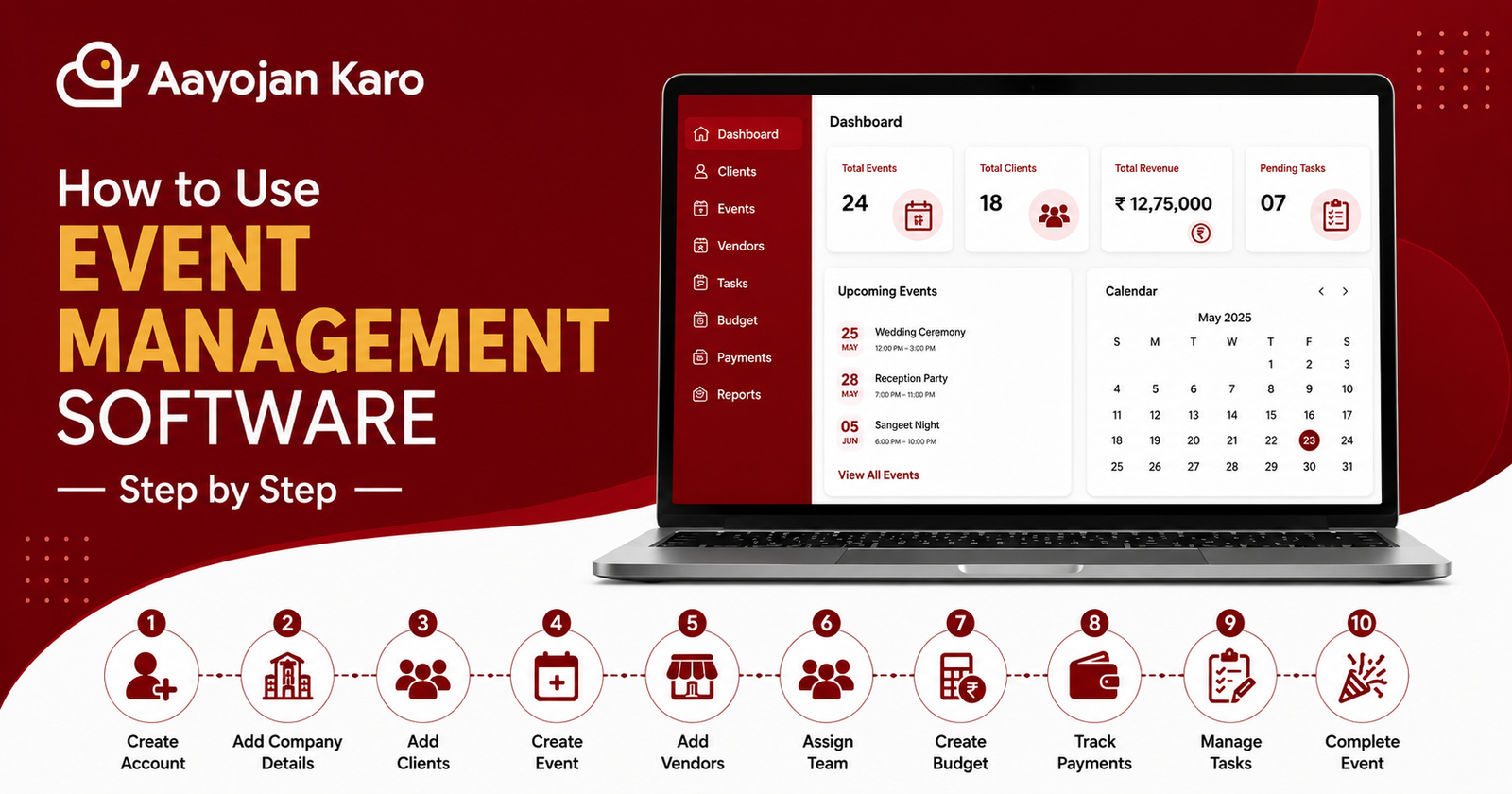
Create Your Account
Sign up for your AayojanKaro account and log in securely. Once you’re inside, you’ll have access to your event management dashboard.
Add Company Details
Enter your company name, logo, contact information, GST details (if applicable), and other business information to personalize your account.
Add Clients
Save client information such as:
- Name
- Contact Number
- Email Address
- Event Type
- Event Date
Keeping client details in one place makes communication easier.
Create an Event
Create a new event by adding:
- Event Name
- Venue
- Date
- Time
- Client Details
- Event Schedule
Everything related to the event stays organized.
Add Vendors
Store information about all your vendors, including:
- Decorators
- Caterers
- Photographers
- DJs
- Makeup Artists
- Transportation
This helps you manage vendor bookings without spreadsheets.
Assign Team Members
Assign responsibilities to your team members for different tasks such as setup, guest management, logistics, and coordination.
Create a Budget
Plan your event budget by adding:
- Estimated Costs
- Vendor Payments
- Client Payments
- Additional Expenses
Track spending and avoid exceeding your budget.
Track Payments
Monitor:
- Advance Payments
- Pending Payments
- Vendor Payments
- Payment History
AayojanKaro helps you keep every payment organized.
Manage Tasks
Create task lists, assign deadlines, and monitor progress to ensure every activity is completed on time.
Complete the Event
Once the event is finished, review expenses, finalize payments, generate reports, and save all event records for future reference.
Why Choose AayojanKaro?
AayojanKaro brings clients, vendors, budgets, payments, schedules, and team collaboration into one platform, helping event businesses save time and work more efficiently.
Conclusion
Using event management software makes planning faster, more organized, and less stressful. Whether you manage weddings, corporate events, or social functions, AayojanKaro helps you handle every event from start to finish.
post-682
Create an account, add your business details, and start managing clients, vendors, budgets, and events from one dashboard.